


Why Are Smart Home Cameras So Popular?

Traditional security cameras meant hiring an electrician, running cables through walls, setting up a bulky DVR box, and squinting at a dedicated monitor to review footage. Expensive, complicated, and frustrating.
Smart home cameras changed all of that. Just plug in, connect to Wi-Fi, scan a QR code in the app, and you’re watching a live feed on your phone from anywhere in the world. Prices start under $50, and you can install one yourself in 10 minutes — no technician needed.
The smart home camera market is booming, especially wireless indoor cameras that work great for apartments, townhouses, standalone homes, and even small shops that owners want to monitor remotely.
Why Xiaomi and TP-Link Tapo?
Our top pick
 Our Top Pick
TP-Link Tapo C225: 2K QHD Smart AI Camera with HomeKit Support
Tapo C225: The ultimate 2K QHD security camera. AI motion tracking, color night vision, and seamless Apple HomeKit integration. Secure your home today!
View on AmazonIf you search for “best budget smart home camera,” two brands consistently appear at the top: Xiaomi and TP-Link Tapo. Both share key advantages — affordable pricing, easy availability online and in electronics stores, local service centers, and apps with multi-language support.
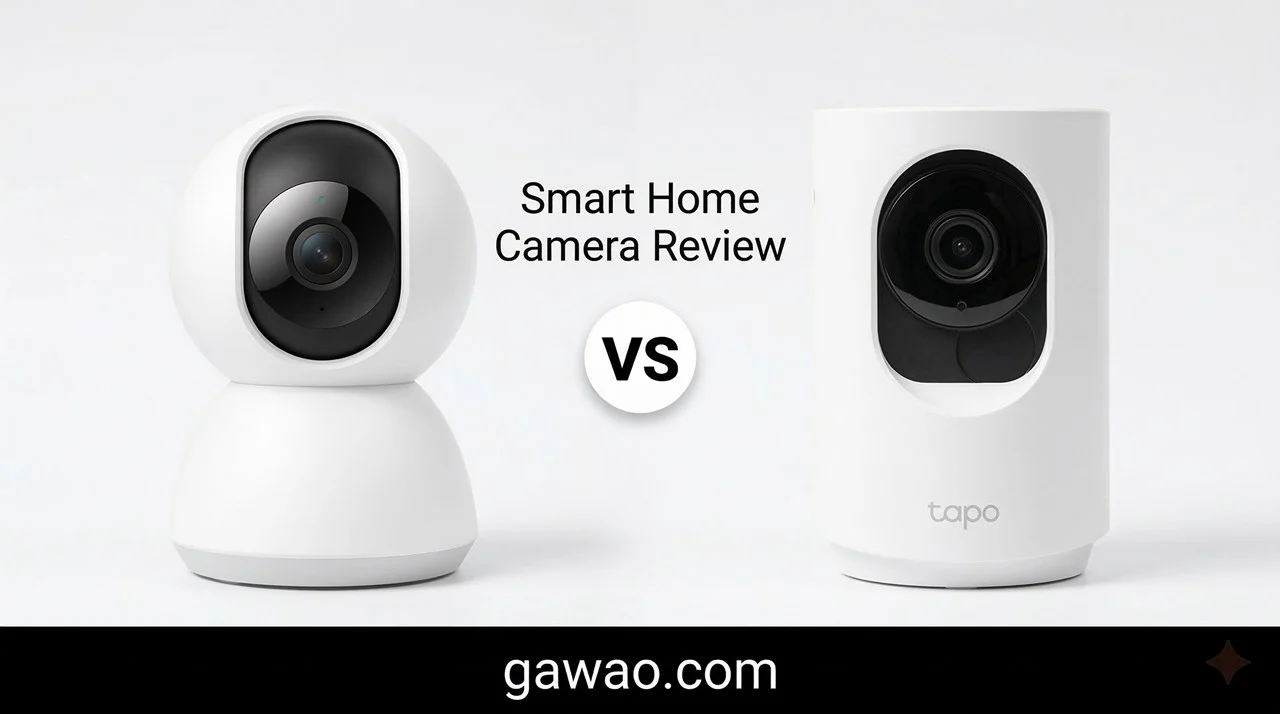
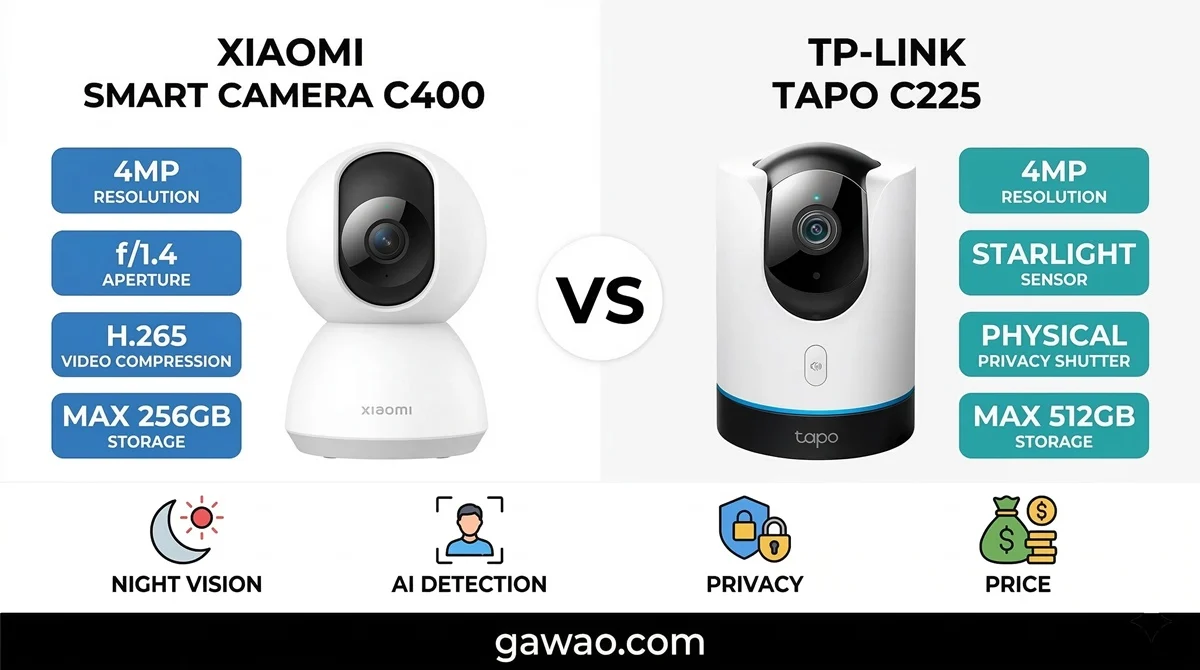
This review compares the best-selling model from each brand: the Xiaomi Smart Camera C400 vs the TP-Link Tapo C225. Both are priced in a similar range and are among the top-selling smart cameras worldwide.
Detailed Spec Comparison: Xiaomi C400 vs Tapo C225
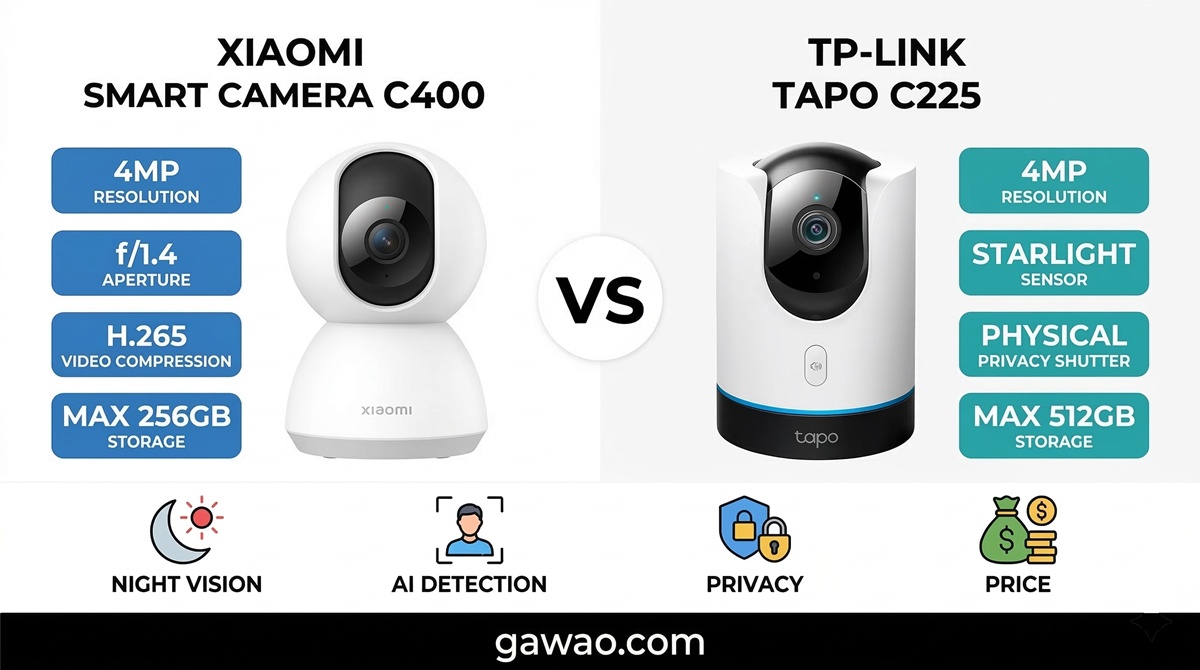
| Feature | Xiaomi Smart Camera C400 | TP-Link Tapo C225 |
|---|---|---|
| Resolution | 2.5K (2560×1440, 4MP) | 2K QHD (2560×1440, 4MP) |
| Sensor | 1/2.7″ CMOS | 1/3″ Starlight Sensor |
| Aperture | f/1.4 | f/1.6 |
| Lens | 6P Lens | 4mm Focal Length |
| Pan/Tilt | 360° horizontal / 100° vertical | 360° horizontal / 149° vertical |
| Pan Speed | Moderate | 120°/second (faster) |
| Night Vision | 940nm IR (black & white) | Starlight color in low light + 940nm IR |
| Night Vision Range | Not specified | Up to 30 feet (Color Night) |
| AI Detection | People, vehicles | People, pets, vehicles |
| Sound Detection | ❌ | ✅ Baby crying, dog barking |
| Motion Tracking | ✅ Auto-follow | ✅ Auto-follow at 120°/sec |
| Privacy Shutter | ❌ (software only) | ✅ Physical lens cover |
| Video Codec | H.265 (50% smaller files) | H.264 |
| Wi-Fi | 2.4GHz + 5GHz Dual Band | 2.4GHz + 5GHz Dual Band |
| Max MicroSD | 256GB | 512GB |
| Cloud Storage | Xiaomi Cloud (paid) | Tapo Care (paid) |
| Two-Way Audio | ✅ | ✅ |
| Voice Assistant | Google Home, Alexa | Google Home, Alexa, Apple HomeKit |
| App | Mi Home / Xiaomi Home | Tapo App |
| Ecosystem | Xiaomi Smart Home (lights, switches, robot vacuums, etc.) | TP-Link Smart Home (switches, plugs, lights) |
| Awards | — | Red Dot Design Award 2022 |
| Price (Mar 2026) | ~$33–42 | ~$42–50 |
Xiaomi Smart Camera C400 — In-Depth Review
Design & Build
The Xiaomi C400 features a clean, minimalist white design typical of Xiaomi products. It’s compact enough to sit on a desk, shelf, or mount on a wall/ceiling using the included bracket. The USB-C cable is about 2 meters long — sufficient for most setups, though you may need an extension if the outlet is far away.
Daytime Image Quality
With a 4MP sensor (2560×1440) and a 6-element lens at f/1.4, daytime footage is impressively sharp. You can clearly see faces and even license plates at reasonable distances. Colors are natural and not oversaturated.
Night Vision — Black & White Only
This is where the C400 clearly loses to the Tapo C225. The C400 uses traditional 940nm IR LEDs, which means night footage is always black and white. You can make out shapes and faces, but distinguishing clothing colors or car colors at night is impossible.
The upside: 940nm IR is invisible — there’s no red glow visible from outside, making it ideal for baby rooms where you don’t want any light disturbance.
AI Detection
The C400 detects people and vehicles reasonably well, reducing false alarms from pets or changing light. However, it cannot separately classify pets. If you have dogs or cats walking past the camera frequently, you’ll still get notifications.
When a person is detected, the camera automatically tracks them by rotating. It works smoothly, but the pan speed isn’t particularly fast — quick-moving subjects may outpace it.
Mi Home App
The Mi Home / Xiaomi Home app supports multiple languages, and setup is straightforward — just scan the QR code on the camera and connect to Wi-Fi. Live view, playback, and zone detection all work well.
The major advantage is Xiaomi’s ecosystem. If you already own other Xiaomi devices (Yeelight bulbs, robot vacuums, door sensors), you can set up automations like “when the camera detects a person, turn on the lights automatically.”
H.265 Video Codec — Why It Matters
The C400 supports H.265 (HEVC), which compresses video files 50% smaller than H.264 at the same quality. This means a 256GB SD card in the C400 stores as much footage as a 512GB card using H.264. A significant cost-saving advantage.
Pros & Cons — Xiaomi C400
Pros:
- Lower price by $7–10 at similar specs
- H.265 cuts file size in half
- Wider f/1.4 aperture captures more light
- Dual Band Wi-Fi (2.4/5GHz) for stable connection
- Xiaomi ecosystem enables powerful cross-device automations
- Easy-to-use multilingual app
Cons:
- No physical privacy shutter (software only)
- Night vision is black & white only
- No pet detection or sound detection
- Slower pan speed
- No Apple HomeKit support
- Only 100° tilt (vs 149° on Tapo)
TP-Link Tapo C225 — In-Depth Review
Design & Build
The Tapo C225 won the Red Dot Design Award 2022, and it shows. The curved, elegant white body features a dark-tinted physical privacy shutter that slides open and closed. The camera comes with a versatile mount for wall, ceiling, or desk placement.
Daytime Image Quality
Daytime footage matches the C400 — both are 2K QHD at 4MP. There may be slight color differences due to each brand’s image processing, but in real-world use, they’re virtually indistinguishable.
Night Vision — Color in Low Light (Best Feature)
This is where the Tapo C225 wins decisively. Its Starlight Sensor captures significantly more light than standard sensors, enabling color night vision in low-light conditions. If there’s even a dim nightlight or ambient light from outside, the camera still records in color.
The difference is dramatic when reviewing footage from 2–3 AM — the Tapo C225 shows clothing colors, bag colors, and car colors, while the Xiaomi C400 shows only grayscale.
In complete darkness (zero light), the C225 switches to 940nm IR like any other camera. But truly zero-light situations are rare in most homes.
AI Detection — Smarter by Far
The Tapo C225 offers more comprehensive Smart AI Detection:
- People detection — accurately distinguishes people from objects
- Pet detection — separates “cat walking by” from “person entering,” drastically reducing false alerts for pet owners
- Vehicle detection — cars, motorcycles
- Sound detection — baby crying, dog barking. Perfect for parents using it as a baby monitor — get notifications only when your baby cries, without having to monitor 24/7
Motion Tracking — Faster
At 120° per second, the C225 tracks fast-moving subjects much better. Whether it’s a person running, a pet jumping around, or a child playing, the camera keeps up without stuttering.
Physical Privacy Shutter
A crucial feature: the Physical Privacy Shield physically slides a cover over the lens when activated via the button or app. Unlike Xiaomi’s software-only approach (where the lens remains exposed), Tapo’s shutter provides genuine peace of mind.
Tapo App & Apple HomeKit
The Tapo app supports multiple languages, with easy setup, Activity Zones, and convenient live/playback viewing. Loading can occasionally be slow during peak hours.
The special advantage: Apple HomeKit support. iPhone, iPad, and HomePod users can integrate the Tapo C225 directly into Apple Home and view the feed on Apple TV or an iPad set as a Home Hub.
Pros & Cons — Tapo C225
Pros:
- Starlight Sensor for color night vision in low light
- Comprehensive AI: people, pets, vehicles, and sound detection
- Physical privacy shutter (mechanical)
- MicroSD support up to 512GB
- Fast motion tracking at 120°/sec
- 149° tilt range (wider than Xiaomi)
- Apple HomeKit support
- Red Dot Design Award 2022
Cons:
- Higher price by $7–10
- Uses H.264 (files ~2x larger than H.265)
- Tapo app occasionally loads slowly
- TP-Link Smart Home ecosystem less extensive than Xiaomi
Real-World Use Cases — Which to Choose?
| Scenario | Recommended | Reason |
|---|---|---|
| Already own Xiaomi devices | Xiaomi C400 | Seamless cross-device automation |
| Best night vision quality | Tapo C225 | Starlight Sensor for color in low light |
| Budget-conscious, buying 3–5 cameras | Xiaomi C400 | Save $20–50 total |
| Have a baby (baby monitor use) | Tapo C225 | AI detects baby crying sounds |
| Have pets (dogs/cats) | Tapo C225 | Pet detection reduces false alerts |
| Privacy is a top concern | Tapo C225 | Physical privacy shutter |
| Maximize recording time without Cloud | Both work | C400 (H.265 smaller files) vs C225 (512GB SD) |
| iPhone / Apple Home user | Tapo C225 | Apple HomeKit support |
DIY Installation Guide (10 Minutes)
Both the Xiaomi C400 and Tapo C225 are easy to install yourself:
Step 1 — Prepare what you need Camera, a power outlet near the installation spot, home Wi-Fi (both support 2.4GHz + 5GHz), and a phone with the app installed (Mi Home or Tapo).
Step 2 — Plug in and open the app Connect the USB-C cable to the camera, open the app, and tap “Add Device.” The camera will generate a QR code or beep for pairing.
Step 3 — Connect to Wi-Fi Select your home Wi-Fi, enter the password. The camera connects within 30 seconds to 1 minute.
Step 4 — Choose placement Place on a shelf or mount on wall/ceiling using the included bracket. Check the app to verify the viewing angle covers the area you want.
Step 5 — Insert SD card (optional) Insert a MicroSD card into the slot on the back of the camera. The camera will auto-format it.
Done — you can now watch the live feed from your phone anywhere in the world.
How to Choose the Right SD Card for Security Cameras
Many people don’t realize that SD cards for security cameras are not the same as those for phones or digital cameras. Security cameras write data continuously 24/7, which causes standard cards to fail quickly.
Choose “High Endurance” cards only — these are designed specifically for continuous recording and last significantly longer than standard cards.
Minimum Speed Class: Class 10 / U1 — supports Full HD 30FPS recording without stuttering. For 2K cameras, U3 / V30 is recommended.
Recommended brands: Samsung PRO Endurance, Kingston High Endurance, SanDisk MAX Endurance — all three offer dedicated High Endurance models widely available online.
Buy from authorized retailers — fake SD cards are extremely common online. They can corrupt footage or cause camera instability.
Replace every 2–3 years — even High Endurance cards have a limited write lifespan. Replace them periodically to prevent data loss.
Cloud Storage vs SD Card — Which Is Better?
| Factor | SD Card | Cloud Storage |
|---|---|---|
| Ongoing cost | None (one-time purchase) | Monthly/yearly subscription |
| Security | If camera is stolen, data is lost too | Safe — stored on remote servers |
| Playback | Via app | Via app (same) |
| Capacity | Limited by card size | Unlimited (depending on plan) |
| Best for | People who don’t want recurring costs | People who want guaranteed data safety |
Recommendation: Use both together. Keep an SD card for continuous local recording, and enable Cloud for critical events (like person detection). If budget is limited, SD card alone is sufficient for most users.
Important Warnings Before Buying
Indoor ≠ Outdoor — The C400 and C225 are indoor cameras. For outdoor use, choose models rated IP65 or higher, such as the Tapo C510W or Xiaomi Outdoor Camera CW400.
Check Wi-Fi signal at installation point — Smart cameras need stable Wi-Fi. If the router is far from the camera, footage may stutter. Test signal strength with your phone before mounting.
Mind your privacy — Avoid pointing indoor cameras at private areas like bedrooms. If you need a camera in a bedroom (e.g., baby monitoring), choose one with a physical privacy shutter (Tapo C225).
Use a strong Wi-Fi password — Smart cameras connect via Wi-Fi. Weak passwords risk unauthorized access. Use at least 12 characters and enable WPA3 if your router supports it.
FAQ — Frequently Asked Questions
Q: Does a smart home camera need Internet 24/7? A: Wi-Fi is required for remote viewing and notifications. However, if you have an SD card inserted, the camera will continue recording even if Internet goes down. You can review the footage once the connection is restored.
Q: Can I install it myself, or do I need a technician? A: 100% DIY. Both Xiaomi and Tapo require no wiring and no drilling (if placed on a shelf). Just plug in, connect to Wi-Fi, and you’re done in 5–10 minutes.
Q: Can one camera cover an entire room? A: For rooms up to about 30 square meters, a single 360° camera placed centrally can see the entire space. For larger homes, 2–3 cameras are recommended (living room, front door, back door).
Q: How much electricity does it use? A: Very little — about 5–10 watts. Running 24/7, that’s roughly $0.50–1.00 per month per camera.
Q: Is Cloud Storage required? A: Both Xiaomi Cloud and Tapo Care offer limited free tiers (3–7 days of event clips) and premium paid plans. If you use an SD card, Cloud is completely optional.
Q: Can someone hack into my camera? A: With a strong app password and secure Wi-Fi, the risk is very low. Both brands encrypt data between the camera and app. Enable Two-Factor Authentication in the app for extra security.
Q: Where can I get warranty service? A: Both Xiaomi and TP-Link have service centers in many countries. Always buy from authorized retailers to ensure valid warranty coverage.
Final Verdict
If you can only pick one:
- Tapo C225 is the better choice for most people — superior night vision, smarter AI, physical privacy shutter, 512GB SD support, and Apple HomeKit. The $7–10 premium is well worth the extra features.
- Xiaomi C400 is better if you’re already in the Xiaomi ecosystem and want powerful cross-device automation, or if you’re buying multiple cameras on a tight budget. H.265 codec is a genuine advantage for storage efficiency.
Both are excellent entry-level smart home cameras that deliver incredible value. You can’t go wrong with either one.
References
- Xiaomi — Smart Camera C400 Official Specs
- TP-Link — Tapo C225 Official Specs
- Digital Citizen — TP-Link Tapo C225 Review
- Kingston — Choosing the Right Memory Card for Your Security Camera
Published on: gawao.com | Smart Home, Review, Security Camera | March 16, 2026