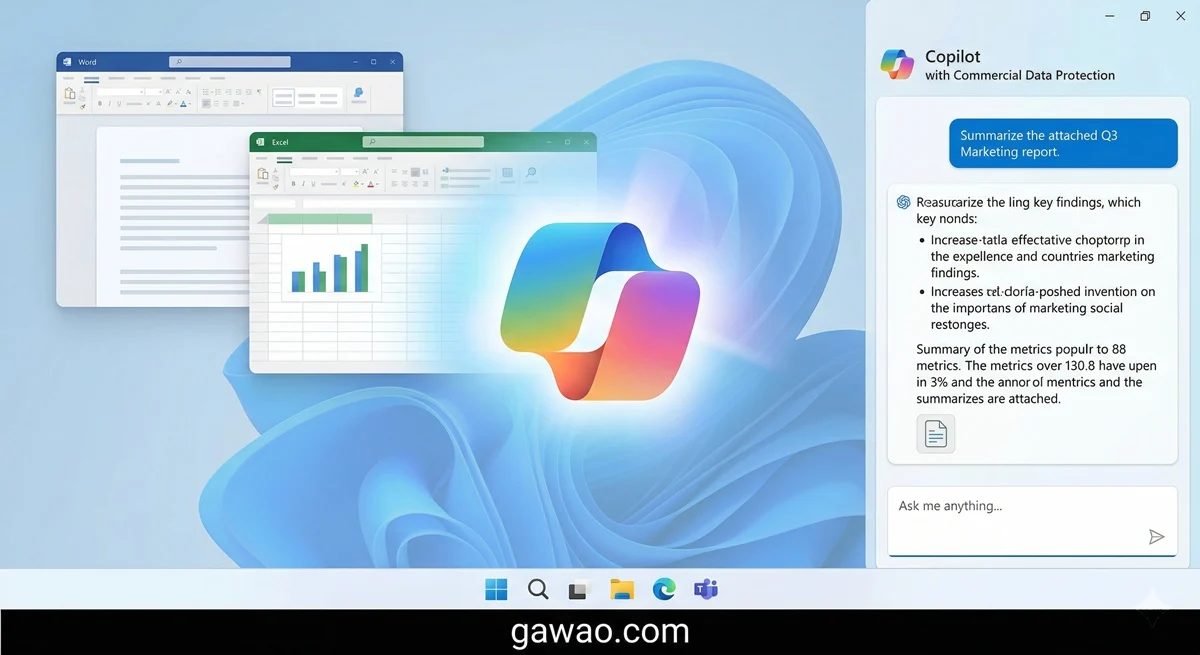



What’s Included in Free Google Workspace?
Every free Google account comes with a full suite of Workspace apps right out of the box:
| App | What It Does | Microsoft Equivalent |
|---|---|---|
| Google Docs | Word processing & documents | Microsoft Word |
| Google Sheets | Spreadsheets & data | Microsoft Excel |
| Google Slides | Presentations | Microsoft PowerPoint |
| Google Forms | Surveys & quizzes | Microsoft Forms |
| Google Drive | Cloud file storage | OneDrive / Dropbox |
| Google Meet | Video conferencing | Zoom / Microsoft Teams |
| Google Calendar | Scheduling & events | Outlook Calendar |
| Google Keep | Notes & reminders | Microsoft OneNote |
| Gmail | Outlook |
Total free storage: 15 GB shared across Gmail, Drive, and Google Photos.
That’s an entire office productivity suite — at zero cost.
Hidden Features Most People Never Use
Google Docs: Work Without an Internet Connection
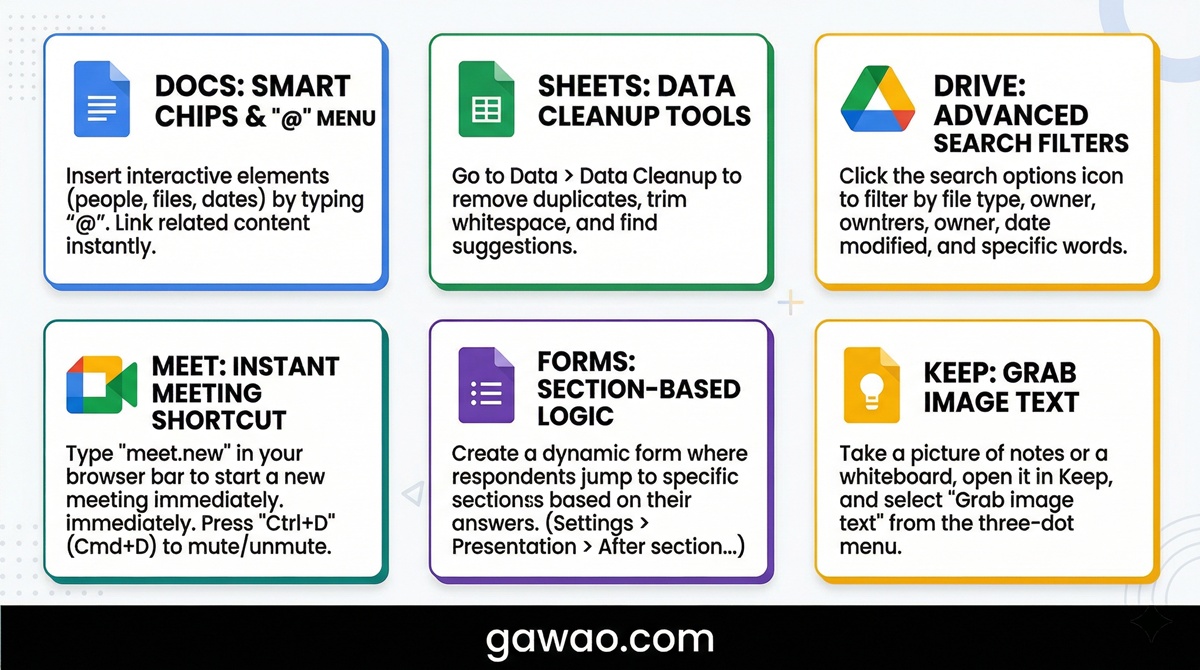
One of the most underused features in Google Docs is Offline Mode. Once enabled, you can create and edit documents even without Wi-Fi. When you’re back online, everything syncs automatically — no manual saving required.
How to enable it: Open Google Drive → click the gear icon → Settings → check “Offline” → toggle the switch on.
This is a lifesaver for travelers, commuters, or anyone working in areas with spotty connectivity.
Bonus Docs tips:
- Press
Ctrl + Alt + Mto leave a comment on any selected text — great for team reviews - Use Version History (File → Version history → See version history) to see every past edit and who made it
- The Explore sidebar (bottom-right icon) lets you research topics and insert citations without leaving your document
Google Sheets: Advanced Functions at No Extra Cost
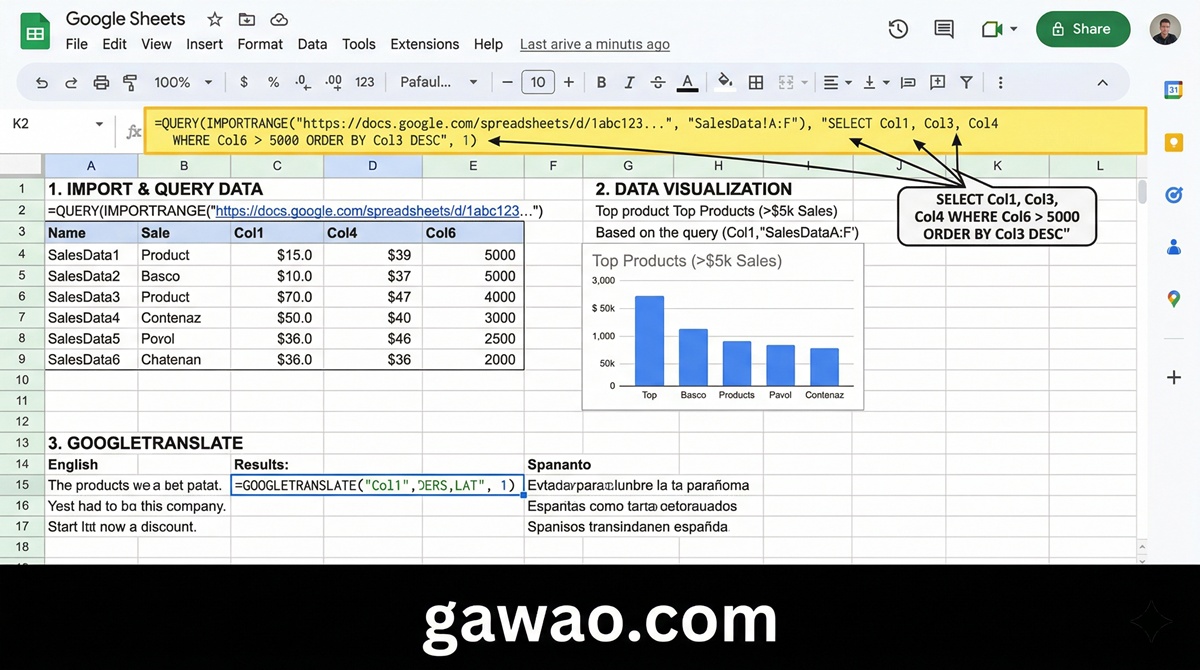
Google Sheets comes with powerful functions that some versions of Excel still don’t support. These three alone can save hours of manual work:
IMPORTRANGE — Pull data automatically from another spreadsheet
=IMPORTRANGE("spreadsheet_URL","Sheet1!A1:D100")
Perfect for consolidating data from multiple files without copy-pasting.
QUERY — Filter and sort data using SQL-like syntax
=QUERY(A:D,"SELECT A,B WHERE C > 100 ORDER BY B DESC")
Think of it as a mini database query, directly inside your spreadsheet.
GOOGLETRANSLATE — Translate cell content between languages instantly
=GOOGLETRANSLATE(A1,"th","en")
Incredibly useful for multilingual teams or working with international datasets.
Other Sheets functions worth knowing:
ARRAYFORMULA— Apply a formula to an entire column in one cellSPARKLINE— Embed a tiny chart inside a single cellREGEXEXTRACT— Extract specific text patterns using regular expressions
Google Drive: Organize Like a Pro
Most people use Drive as a basic upload folder. But with the right shortcuts, it becomes a seriously fast working environment.
Keyboard shortcuts you should memorize:
| Shortcut | Action |
|---|---|
Shift + T |
Create a new Google Doc |
Shift + S |
Create a new Google Sheet |
Shift + P |
Create a new Google Slides |
Shift + F |
Create a new folder |
/ |
Jump to the search bar |
N |
Rename a selected file |
. (period) |
Move a file |
Advanced search operators:
type:spreadsheet— Show only Sheets filesowner:me— Show only files you own (not shared with you)before:2025-01-01— Find files created before a specific dateis:starred— Show starred files only
Starred folders and color-coded labels help you build a visual filing system. Right-click any folder → Organize → Add to Starred, or pick a color to make it stand out in the sidebar.
Google Meet: Free Video Calls — How Far Does It Go?
Google Meet’s free tier is more generous than most people realize:
- Up to 100 participants per meeting
- Up to 60 minutes per call for groups of 3 or more
- Unlimited time for 1-on-1 calls
- Unlimited number of meetings — no monthly cap
Meet features worth turning on:
- Background Blur / Custom Background — Look professional from anywhere; no need to tidy up your room
- Live Captions — Automatic real-time subtitles during calls (supports multiple languages)
- Companion Mode — Join from your laptop and use your phone as a second screen for reactions and chat
- Noise Cancellation — Reduces background keyboard noise, fans, and ambient sound automatically
- Recording — Available on paid Google Workspace plans; free users can still access Gemini-generated meeting summaries in some regions

Google Forms: More Powerful Than You Think
Google Forms is often overlooked, but it handles a surprisingly wide range of use cases — all for free:
- Customer satisfaction surveys — Send after purchases or service interactions
- Event registration — Collect RSVPs with conditional questions and confirmation emails
- Quizzes with auto-grading — Set correct answers, point values, and feedback messages; results are scored instantly
- Order forms or booking systems — Accept simple orders or appointments without any third-party tools
- Employee feedback forms — Anonymous responses help teams share honest opinions
Every form response is automatically exported to a linked Google Sheet, so you can analyze the data immediately — filter responses, create charts, track trends over time.
Google Keep: The Note App That Does More
Keep looks simple, but these three features make it genuinely powerful:
- Voice notes — Tap the microphone icon and speak. Keep transcribes your voice into text automatically. Great for capturing ideas on the go.
- Image to text (OCR) — Take a photo of a sign, business card, or printed document. Open it in Keep, right-click the image, and select “Grab image text.” Keep extracts all readable text instantly.
- Location-based reminders — Set a note to appear when you arrive at a specific place. For example, remind yourself to check the office printer when you reach your workplace.
Tip: Google Keep integrates directly with Google Docs. Open a document, then go to Tools → Keep Notepad — your notes appear in a sidebar so you can drag content directly into your document.
Google Workspace Free vs Microsoft 365: Which Should You Choose?
| Criteria | Google Workspace Free | Microsoft 365 |
|---|---|---|
| Price | ✅ Free | ❌ From ~$7/month |
| Real-time Collaboration | ✅ Excellent | ✅ Good |
| Offline Access | ⚠️ Requires setup | ✅ Works immediately |
| Advanced Excel Features | ⚠️ Less powerful | ✅ More complete |
| Free Storage | ✅ 15 GB | ❌ 5 GB |
| Open .docx / .xlsx files | ✅ Yes | ✅ Yes |
| Custom Domain Email | ❌ Paid only | ❌ Paid only |
| Mobile Apps | ✅ Full-featured | ✅ Full-featured |
Bottom line: For everyday document work, video meetings, and team collaboration — free Google Workspace is more than enough. If your job depends heavily on advanced Excel macros, complex Word formatting, or enterprise-level IT management, Microsoft 365 is worth the cost.
Bonus: Supercharge Workspace with Free Add-ons
Google Docs and Sheets support third-party extensions through the Google Workspace Marketplace. Here are the most useful free ones:
For Google Docs:
- Grammarly — Real-time English grammar and style suggestions
- DocuSign — Send and sign documents digitally without leaving Docs
- Lucidchart Diagrams — Insert flowcharts, org charts, and mind maps directly into documents
For Google Sheets:
- Yet Another Mail Merge (YAMM) — Send personalized mass emails using data from your spreadsheet
- Supermetrics — Pull data from Google Analytics, Meta Ads, and other platforms directly into Sheets
- Remove Duplicates — Find and clean duplicate rows in large datasets automatically
How to install: In any Docs or Sheets file, click Extensions → Add-ons → Get add-ons. Search, click Install, and done.
Frequently Asked Questions (FAQ)
Q: What’s the difference between free Google Workspace and Google Workspace Business? A: The free version lacks custom domain email (e.g., [email protected]), has no meeting recording, is limited to 15 GB of storage, and doesn’t include Admin Console controls. Google Workspace Business plans start at $6/user/month and are designed for organizations that need IT administration, compliance, and expanded storage.
Q: Can I export Google Docs files as Microsoft Word (.docx)? A: Yes, easily. Go to File → Download → Microsoft Word (.docx). Most formatting is preserved well. You may see minor differences in fonts or spacing, especially with complex layouts — but for standard documents, compatibility is excellent.
Q: Does Google Workspace work on mobile? A: Absolutely. Dedicated apps for Docs, Sheets, Slides, Drive, Meet, Gmail, and Keep are available for both Android and iOS. The apps are well-optimized for touch screens, and Docs and Sheets in particular are surprisingly capable on mobile devices.
Q: Is Google Workspace really secure for work documents? A: Google encrypts data in transit and at rest. For most personal and small business use, the free tier’s security is solid. Large enterprises or regulated industries may need the additional controls available in paid Business or Enterprise plans.
Q: Can I use Google Workspace offline on my phone? A: Yes. In the Google Docs, Sheets, or Slides apps, open the file and toggle “Available offline” from the file’s options. Changes sync automatically when you reconnect.
References
- Google Workspace — All Products
- Google Docs Help Center
- Google Sheets Functions Reference
- Google Meet — Limits and Features
- Google Workspace Marketplace
Published on: gawao.com | Category: IT How-To, Google, Productivity | Last updated: March 2026
<!– ══════════════════════════════════════════════════════════════ –> <!– 📘 FACEBOOK CAPTION –> <!– ══════════════════════════════════════════════════════════════ –> <!– 📂 Stop Paying for Microsoft Office Did you know your free Google account already includes a full office suite? ✅ Google Docs (Word) ✅ Google Sheets (Excel) ✅ Google Slides (PowerPoint) ✅ Google Drive — 15 GB free storage ✅ Google Meet — video calls up to 100 people The hidden features make it even better. IMPORTRANGE to pull data across spreadsheets. QUERY to filter like a database. Offline mode so you can work without Wi-Fi. Read the full guide at gawao.com 👇 🔗 [link in bio] #GoogleWorkspace #GoogleDocs #FreeTools #Productivity #WorkFromHome #GoogleSheets #TechTips –> <!– ══════════════════════════════════════════════════════════════ –> <!– 🐦 X / TWITTER CAPTION –> <!– ══════════════════════════════════════════════════════════════ –> <!– Free Google Workspace includes: – Docs, Sheets, Slides, Drive (15 GB), Meet, Forms, Keep, Gmail IMPORTRANGE, QUERY, GOOGLETRANSLATE — Google Sheets functions Excel doesn’t have. Full guide to getting the most out of it for free 👉 gawao.com #GoogleWorkspace #Productivity #FreeTech #GoogleSheets –> <!– ══════════════════════════════════════════════════════════════ –> <!– 📸 INSTAGRAM CAPTION –> <!– ══════════════════════════════════════════════════════════════ –> <!– Your free Google account is an entire office suite 🖥️ Most people only use Gmail and Drive — but there’s so much more hiding in there. 🔹 Google Docs — works offline, tracks every version 🔹 Google Sheets — QUERY function = no-code database 🔹 Google Meet — 100 people, 60 min free 🔹 Google Forms — auto-grade quizzes, auto-export data 🔹 Google Keep — voice notes + OCR image text Save $$$ on Microsoft 365. Full guide at gawao.com 👉 Link in bio #GoogleWorkspace #ProductivityHacks #TechTips #GoogleDocs #GoogleSheets #FreeSoftware #WorkSmarter #RemoteWork #GoogleMeet –>